AI photo editing is the biggest trend on Instagram right now. Creators are turning ordinary selfies into dramatic, movie-poster style portraits using nothing but a text prompt — no Photoshop, no editing skills, no expensive camera. These cinematic AI photo editing prompts are behind some of the most saved and shared posts of 2026, and in this guide I am sharing 15 copy-paste prompts you can use today, plus a complete step-by-step tutorial.
Whether you want a profile picture that stops the scroll or a reel cover that boosts clicks, you will find a prompt below that fits your style.
What Are Cinematic AI Photo Editing Prompts?
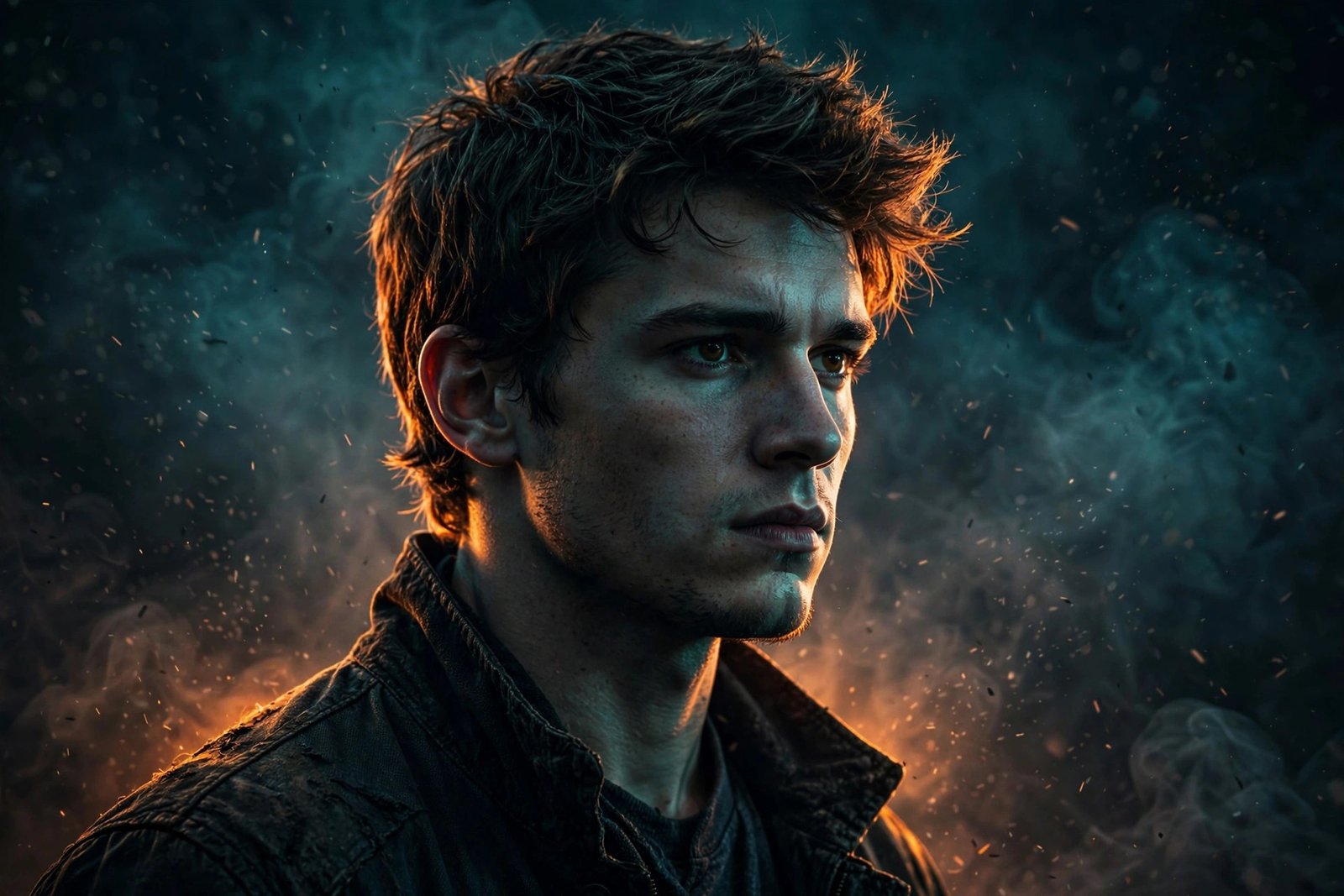
A cinematic AI photo editing prompt is a short text description you feed to an AI photo editor. The AI reads your prompt and restyles your photo — lighting, background, mood, colors, even atmosphere — to match the description. For example, the prompt “cinematic portrait, dramatic rim lighting, dark smoky background” can turn a simple bedroom selfie into something that looks shot on a film set.
The “cinematic” part matters: prompts that mention lighting, lens, film grain, and color grading produce far more realistic, premium-looking results than generic prompts like “make me look cool”.
Why Cinematic AI Photos Go Viral on Instagram
- Scroll-stopping contrast: dramatic lighting stands out sharply against flat, casual selfies in the feed.
- Shareability: people tag friends and ask for one of their own, which multiplies reach organically.
- Zero skill barrier: anyone with a phone can do it in under a minute — trends explode when participation is easy.
- Perfect reel covers: a cinematic portrait as your reel cover can visibly lift click-through rates.
15 Copy-Paste Cinematic AI Photo Editing Prompts
Copy any prompt below, paste it into your AI photo editor, and upload your photo. Each prompt includes a note on what it is best for.
- Movie Poster Portrait — best for profile pictures.
“cinematic portrait, dramatic rim lighting, dark background with smoke, ultra detailed skin texture, 85mm lens, movie poster style” - Neon City Night — best for a bold, youthful vibe.
“person standing in neon-lit city street at night, rain reflections, cyberpunk glow, cinematic color grading, ultra realistic” - Golden Hour Hero — best for warm, natural looks.
“golden hour portrait, warm sunlight flare, dusty atmosphere, epic cinematic look, shallow depth of field” - Noir Black and White — best for artistic feeds.
“black and white cinematic portrait, hard shadows, film noir mood, dramatic side lighting, vintage film grain” - Warrior Fantasy — best for gamer and fantasy fans.
“epic warrior portrait, ancient armor, battlefield smoke and embers, dramatic lighting, fantasy movie still” - Rainy Window Mood — best for emotional, moody posts.
“moody portrait beside rainy window, soft blue tones, water droplets on glass, cinematic melancholy, photorealistic” - Desert Wanderer — best for travel-style shots.
“person walking through desert dunes at sunset, flowing cloth, dust in the air, epic wide cinematic shot” - Royal Look — best for festive and traditional posts.
“royal portrait, ornate traditional outfit, palace background, rich warm lighting, majestic cinematic style” - Stage Spotlight — best for singers and performers.
“singer on dark stage, single spotlight from above, crowd silhouette, concert cinematic photography” - Beach Sunset Silhouette — best for romantic posts.
“silhouette at beach during sunset, waves and orange sky, romantic cinematic mood, ultra wide shot” - Cyberpunk Samurai — best for edgy, futuristic feeds.
“cyberpunk samurai portrait, glowing neon katana, rainy tokyo alley, cinematic haze, ultra detailed” - Vintage Film Star — best for timeless elegance.
“1950s hollywood film star portrait, soft studio lighting, classic film grain, timeless cinematic elegance” - Astronaut Dreams — best for sci-fi lovers.
“astronaut portrait with galaxy reflection in visor, deep space background, cinematic sci-fi lighting, ultra realistic” - Monsoon Romance — best for couple photos.
“couple silhouette in monsoon rain, dramatic clouds, romantic cinematic mood, film still aesthetic” - Fire and Embers — best for intense, powerful looks.
“portrait surrounded by floating embers and fire sparks, dark background, intense orange glow, epic cinematic”
How to Use These Prompts (Step by Step)
- Open any AI photo editor app that supports image-to-image generation or AI portrait modes.
- Upload a clear, front-facing photo with good lighting — the AI works best with sharp, well-lit input.
- Copy one of the prompts above and paste it into the prompt box exactly as written.
- Generate and wait a few seconds. Create 2–3 variations and pick the best one.
- Download in the highest quality available.
- Post it — or use it as a reel cover to lift clicks on your videos.
What Kind of Photo Gives the Best Results?
The AI can only work with what you give it. For the cleanest results: use a sharp, front-facing photo taken in daylight; keep your face clearly visible and unobstructed — no sunglasses, no heavy shadows across the face; avoid group photos, since single-subject portraits preserve facial detail far better; and skip heavy filters on the input photo, as they confuse the AI’s lighting model.
Tips for the Best Results
- Start with a sharp photo: blurry input gives blurry, distorted faces — no prompt can fix that.
- Keep the face visible: the AI preserves faces better when they are clearly lit and unobstructed.
- Adjust prompt strength: if the result looks too artificial, lower the style intensity and regenerate.
- Mix and match: combine phrases from two prompts, for example neon city plus rain, for a unique custom style.
- Turn it into a reel: pair your AI portrait with a trending edit like the Dilbar Dilbar CapCut Template for maximum reach.
Common Mistakes to Avoid
- Over-styled faces: pushing every slider to maximum creates waxy, fake-looking skin. Subtle beats extreme.
- Ignoring hands: AI still struggles with hands — choose prompts and crops where hands are not prominent.
- Posting low-res outputs: always download the highest quality; compressed previews look cheap on big screens.
- Using the same prompt as everyone: small tweaks, like adding “rain” or “neon”, make your version stand out.
FAQs
Which app is best for AI photo editing?
Most AI photo editors with prompt support work fine — pick one with an image-to-image or AI portrait feature and good reviews.
Are these prompts free to use?
Yes, all 15 prompts in this guide are free to copy and use.
Why does my AI photo look distorted?
Low-quality or side-angle input photos cause most distortions. Use a sharp, front-facing photo in good light.
Can I use AI-edited photos commercially?
Check your AI app’s terms — most allow personal and social media use, while commercial use varies by app.
How long does it take to generate one photo?
Usually 10–30 seconds per image on most apps.
Will people know my photo is AI-edited?
Well-made cinematic edits look like professional photography. That said, many platforms appreciate honesty — a simple #AIphoto tag keeps you transparent.
Final Words
Cinematic AI photo editing is the fastest way to make your profile stand out in 2026. Copy a prompt, generate your portrait, and post it — then watch the likes roll in.
1 thought on “15 Cinematic AI Photo Editing Prompts (2026) – Trending AI Photo Edit Tutorial”